Free across all three Jira products
Install from the Atlassian Marketplace, get cross-product dashboards, keep working. No user-tier pricing, no feature gates behind a paid edition.
Atlassian Marketplace
One reporting app across Jira Software, Jira Service Management and Jira Work Management — free from View26.
Inside the app
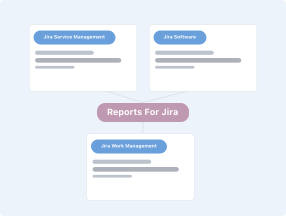
Build views spanning Jira Software, Jira Service Management and Jira Work Management from one admin page. No context-switching between tools, no duplicate setup.

Charts (bar, pie, line, horizontal bar), KPI cards, sortable data tables and rich-text notes. Compose dashboards visually; no JQL required for standard views.
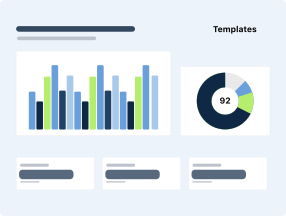
Created vs Resolved, SLA Met vs Breached summary, SLA Met vs Breached timeline — ready-made charts for the questions service teams answer weekly.
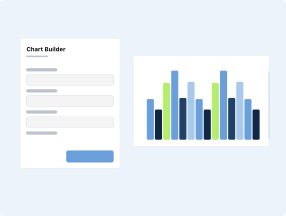
Group by any Jira field — status, assignee, priority, component, custom field, date. Measure by count, time spent or percentage. Adjust granularity daily, weekly or monthly.

Owner / write / read permissions at view level, sharing with Jira groups, and a JSM portal integration that filters reports by the viewer's customer organisation.
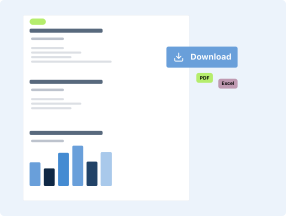
Download any view as PDF or Excel for board packs, QBRs and audit reviews. Individual charts export as images.
Signature
Templates
Pre-built templates for the five reports your execs keep asking for. Branded, filtered to the project and team. Or build your own with the template editor.
Report
Status Report
Report
Trend Report
Report
SLA Report
Report
Capacity Report
Report
Release Notes
Why this one
Install from the Atlassian Marketplace, get cross-product dashboards, keep working. No user-tier pricing, no feature gates behind a paid edition.
Runs inside Jira Cloud on Atlassian Forge. Data stays in the Atlassian tenant. Jira permissions and SSO apply automatically. No external service to onboard, secure or budget for.
Standard views are built with point-and-click. JQL and custom formulas are available when needed but never required. A Jira admin can stand up a useful dashboard in minutes.
When a team needs scheduled email reports, public share links or deeper JSM analytics, View26 Charts and Reports for Jira Service Management extends the same reporting model without a re-platform.
Use cases

An Atlassian admin running Jira Software for engineering and JSM for IT support needs one dashboard for the quarterly leadership review covering throughput, resolution times and backlog health.
Outcome
One view combines Created vs Resolved across engineering projects, SLA Met vs Breached across JSM queues and a KPI card for open-ticket volume. PDF export becomes a slide in the leadership deck. Reporting time drops from half a day to minutes.
A small JSM team needs visibility on request throughput and SLA performance but has no budget for a BI tool and no dedicated analyst.
Outcome
The team installs View26 Reports for Jira, uses the pre-built Created vs Resolved and SLA templates, adds a KPI card for open tickets per assignee and pins the view to the Jira dashboard. First week of data is visible without opening a spreadsheet.
A head of engineering wants one monthly view covering Jira Software feature delivery, JSM incident volume and Jira Work Management initiative status.
Outcome
A single view combines widgets from each product, exported to PDF monthly. Executives open a branded report instead of three separate Jira share links. No single team owns the BI stack; View26 Reports covers the 80% case.
PRICING · ATLASSIAN CLOUD
Free
This app has no per-seat pricing — see the Atlassian Marketplace listing for details.
See it on the Atlassian MarketplaceFAQs
Free trial on the Atlassian Marketplace. Or book a demo with a senior specialist and see it running against your real data.